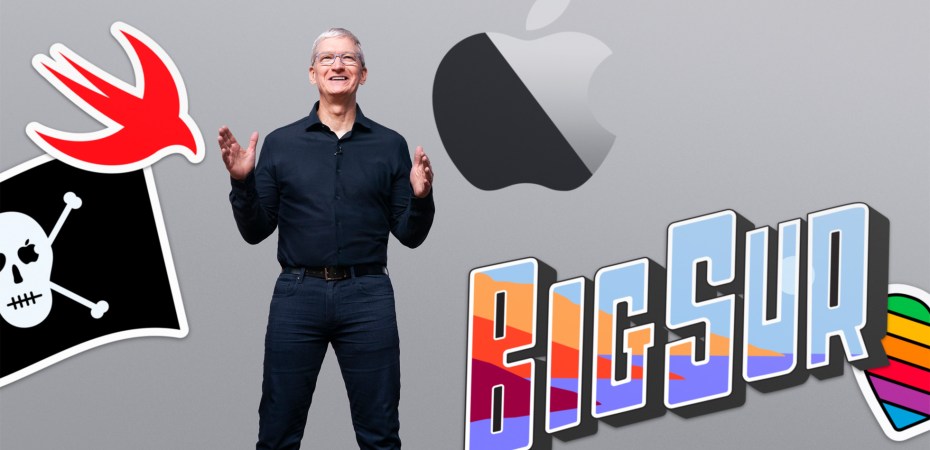
The full length of this year’s WWDC keynote was one hour, 43 minutes, and 52 seconds. That is the length of a feature-length movie and the production quality rivals some of them too. It was packed with cool stuff, but there was also a lot of hype, glamour, and not all of it is relevant. So, let’s boil it down and chew on the important bits.
Addressing equality and diversity right at the top of the presentation is appreciated. And this message echoes throughout the presentation which is a nice touch. It’s PR, but we deserve some good news now and again.
iOS 14
Everything was shown to work across all the latest iPhones, from the SE to 11 series. Nice.
App Library
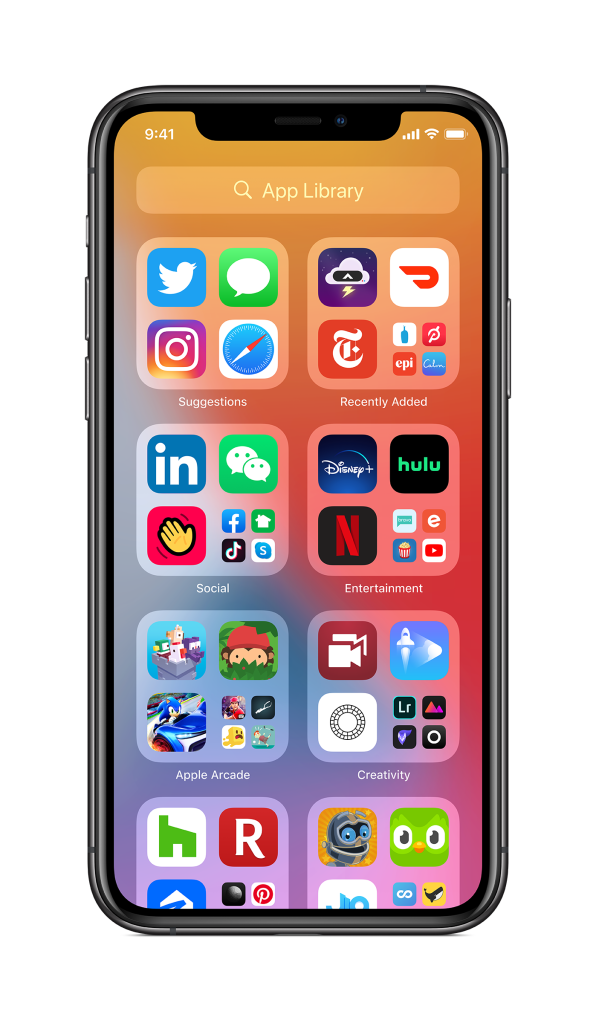
Now the iPhone can organise apps the way it thinks it should be (an Apple habit) and the way it thinks it wants to be. I am not a fan of app organisation on the iPhone, but this sounds like a complication, not a solution.
I think I have seen the sort by category on an Android, and it was annoying. I love to have my apps organised, but I’d rather be the one doing the organising. All the phone needs to do is to Just sort everything in alphabetical order. Folders first, apps second. Just let us sort it our way.
Maybe I am thinking about this the wrong way. Maybe this is just Apple’s overengineered app drawer because it also introduces the ability to hide pages and pages of apps. So, instead of tapping a button, or swipe up to go to an app drawer, swipe left instead. Complete with a search bar!
Widgets
Sure, sure, Android had this already. But here it is not about who does it first but who makes it the most useful. I used widgets on Android before and it is always a mixed bag. They don’t have a unified design language, some display too little information, some too much, and they all feel clunky.
Here Apple combines customisable widgets with the verticality of their existing Today View. That is a design that I can live with. And that smart stack of widgets that displays what it thinks is important (there is that phrase again), will live at the top of my Today View.
I don’t see myself using the widget outside of the Today View, and I bet someone will find it useful. But, taking a step back this looks like an evolution to the next user interface.
Picture In Picture
Does what it says on the tin. Personally, it is a nice novelty. Although it could be useful when using FaceTime. I’m guessing it is okay on a large screen like the 11 Pro Max, maybe the 11. But on an 11 Pro or an SE, that might be pushing it.
Siri
Most of the time I just use it as a voice-activated light switch or a kitchen timer. Despite it always being there but never really being used, that minimal interface is a nice touch.
It’s easy to understand that during the infancy of voice assistance, a full-screen dictation is helpful. This new interface, with a pop-up notification like results, just shows that it has evolved.
Siri now has 20 times more facts. It may look like just another large number to flaunt, but this is especially useful to a generation of people who have learned the power of doing on the spot research. It is a cool habit to have and develop.
Although most of the folks who have the habit tend to do their searches quietly via a browser and not dictate it to a voice assistant.
Speaking of dictation, do not underestimate the power of being able to dictate on the device. Our mobile data connection is not that great, and having a feature like dictation on the device, just makes it more welcoming to use and may increase adoption.
Unless it is in a private context, a dictated text message is better than a recorded voice message.
Translate
This just makes sense. A bit late compared to Google and Microsoft, but a welcomed thing, nonetheless.
Although its support for only 11 languages seems small, its ability to translate on the device is a big deal. It means translation can be done without mobile data and still have that conversation in another language. This would make it exponentially useful in more situations than solutions that need constant cloud connection.
And that text interface. It better be customisable, Apple. Don’t pull that the way it thinks it should be a thing on us here.
Messages
Ah, the not WhatsApp that’s almost like BBM, but for iOS only. I prefer Messages, even in. It also helps that I do not like Facebook.
Anyway, now it features better organisation tools for single conversations or groups, and easy to read at a glance interface. Cool, if everyone iPhones.
One notable thing to me is that in-line conversation and thread view. WhatsApp doesn’t have that and it looks super useful.
Oh, and that mentions thing. The ability to mention someone just by entering their name is meh. Being able to set an alert only when referred to directly in a conversation, that’s cool. Not new, but still cool.
Memoji
How is Memoji still a thing? Almost every company tried this avatar thing once, but Memoji seems to be the only one that has stuck around and is still in use. So much so that I see its animation style being copied in some ads.
It also now has more diversity and options. Cool.
Maps
A better Maps app? Yes, please! Is it available in my country? Oh…
Finding places with curated lists by branded guides, comprehensive bicycle directions, comprehensive EV routing, and more. Unless they are coming to my country, which I don’t think it will, I’ll pass.
Carplay
New wallpaper options, parking, EV charging, and quick food ordering. Pass. Most of the car in Malaysia, especially the locally made ones by Proton and Perodua don’t support iPhones. Pass.
Using a smartphone as a car key with the ability to share the key with others, online? Experience that now by renting a SOCAR. And most of us are not getting a BMW. Unless the affordable cars here start to adopt Apple’s standards, pass.
App Clips
Apple Pay is the company’s solution to the ubiquitous need to pay for everything, Sign In With Apple is the company’s answer to the superfluous need for registering for every little service, App Clips is the company’s answer to the superfluous need for everything to have an app. I love that this exists, but I sort of hate that it must.
It’s a small app under 10MB that can be loaded on an iPhone on short notice to let the user use whatever service that needs that app now. It can also be passed around through links, messages, tags, and whatever else that can carry a URL
Cool idea. Now if only Apple has a solution to all those apps that insist on a subscription for the smallest task.
iPadOS 14
Designed for iPads
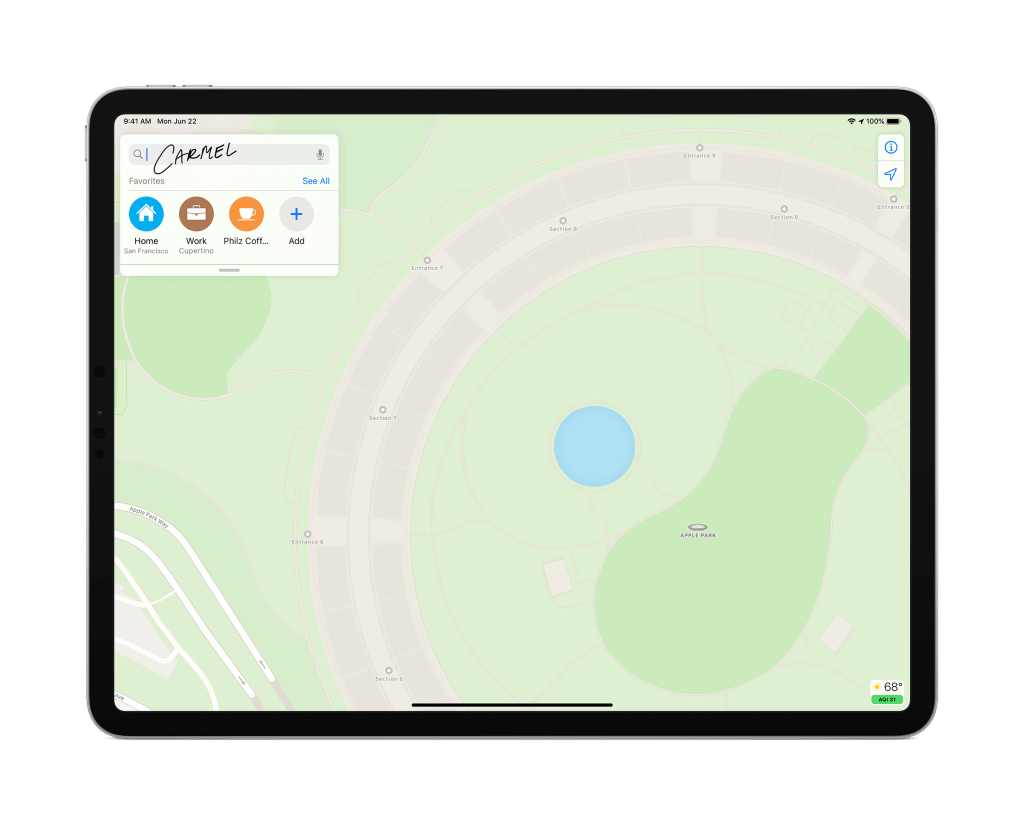
Widgets just like on iOS 14. In fact, it looks like the same design language is going to be used across all of Apple products. However, native iPad apps will get more user interface elements like a sidebar and toolbars. Which is nice, but I wonder why it took so long to bring those desktop-like elements to the iPad in the first place.
Hey, it does begin to look more like a laptop interface, with all the iOS features, but enhanced. And a lot more app-in-app stuff instead of full-screen everything.
That universal search function though feels like one of those features that should have been there in the first place.
Apple Pencil
I have yet to meet a visual artist who either does not want or does not like the Apple Pencil.
Scribble
Now handwritten notes can be manipulated, turn it to text, and hand-drawn shapes can be turned into shapes. Didn’t one stylus feature smartphone already have this?
I am not sure about writing directly into the text field, and the ability to detect the type of data that is written (phone number, address, name) though, which I think is mighty useful. This will also make the Apple Pencil a practical alternative to getting a keyboard.
Also, I think Apple has it right here, to use the Pencil on a tablet instead of a smartphone.
One thing though, so it recognises Chinese characters, how about other languages? And some of the language used here (like might and can) makes me think that not all of the features will be baked in when it is launched. Apple does that sometimes.
AirPods
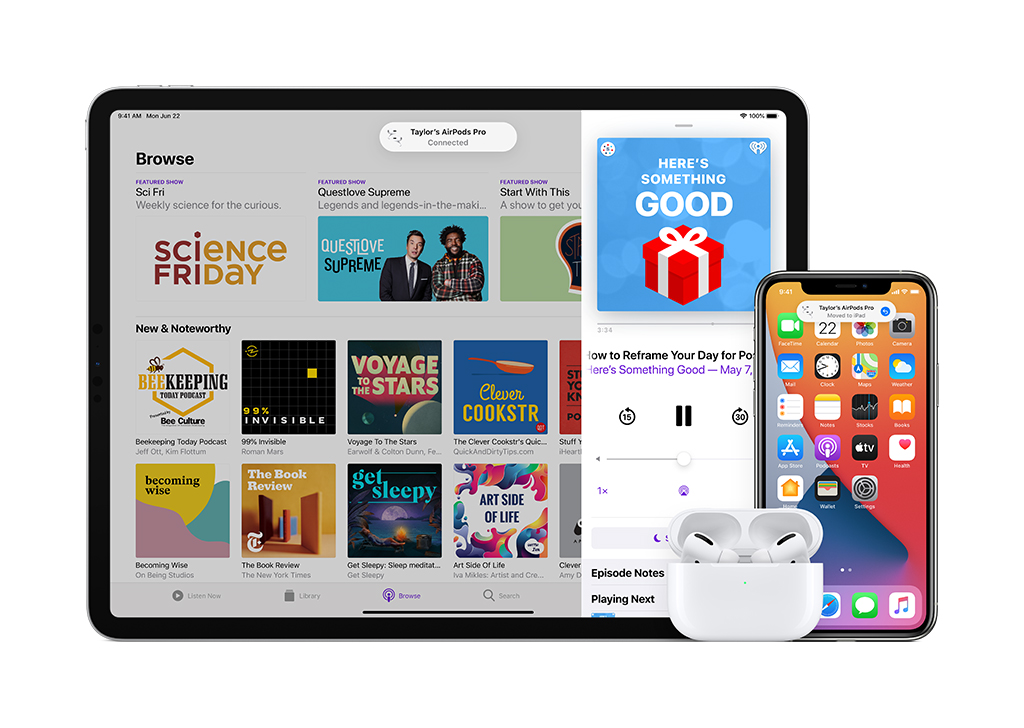
Auto-Switching
The silly things cannot connect to multiple devices as its closest competitor can, but what it can do is switch between Apple devices manually. That’s nice because it puts the user in control. Now they are introducing the ability to automatically switch between devices. But, I still hope that Apple gives the users some level of control and not just switch to what it thinks the way it should be (there it is again).
Spatial Audio
Just build a VR headset already Apple. Why the baby steps. Firstly, I didn’t realise that there are gyros and accelerometers in AirPods Pro. Secondly, I bet having spatial audio in a public setting can be super creepy. Imagine playing a game or watching a movie while something is coming from behind, panic sets in, but it is not there. Thirdly, this looks like very cool tech, but it has so many components and variables, I would be amazed if it works.
Watch OS 7
The smartwatch for casuals wants to do more of everything now.
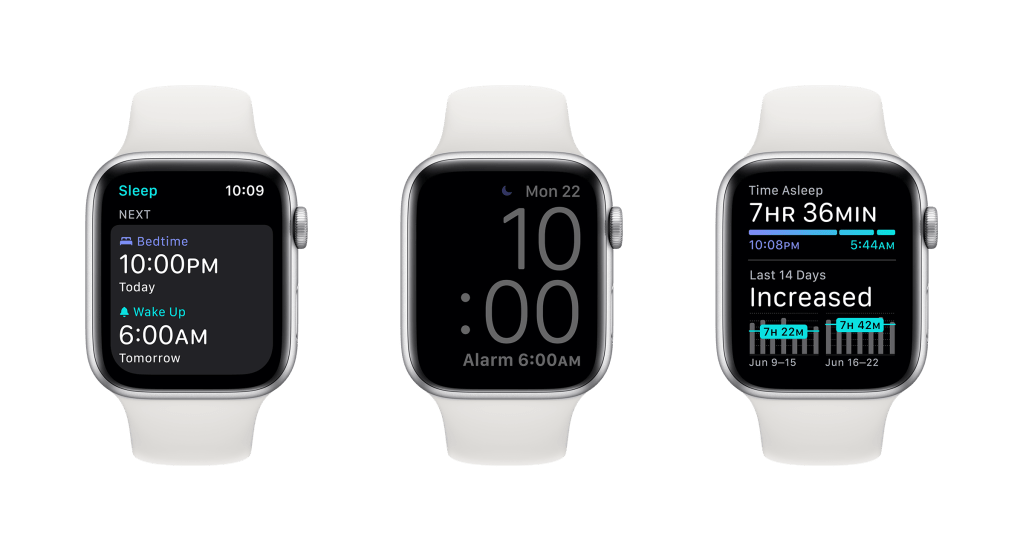
Complications
Now a single watch app can have more than one complication. Cool. I don’t use complications much because each complication means an app is running in the background and they drain the battery.
The two new watch faces are nice. The chronograph face looks classy, but I especially like the one with the large complication. Easy to read time and just one easy to read complication. Efficient and saves battery.
Face Sharing
The ability to share watch faces and accompanying app via links, that’s novel.
Maps
Works as it does on iOS14. Great. An on the wrist map is far more useful for a cyclist. Oh, that’s right, that map isn’t coming here any time soon.
Workout
Dance? Haha hahaha… Oh, wait. You’re serious!? Hm… If the watch can approximate the detection of a full-body dance, then what can it do in an AR or VR setting?
Those extra workout options just go over my head and just translates to Apple figuring out more ways to use the sensors they already got on the watch. Cool.
Activity Is Now Fitness
So, now that we are going to get cycling maps and renaming native apps is okay, can we rename Cycle Tracking?
Sleep
Finally! Oh, wait. I thought the reason why they didn’t put sleep tracking in the Apple Watch in the first place is because the battery on the Apple Watch is not so great. And it is meant to be charged overnight. I guess now we charge them while we shower.
The holistic approach to sleep is a cool one. A lot of us have lost that skill to wind down and leave yesterday behind to start a new one.
Wind Down
All the Apple devices and anything connected to them will conspire to enforce bedtime. The iPhone dims, the Apple Watch goes to sleep, notifications are silenced, and a checklist of routines begins. It can be annoying or creepy. But it will be useful for most folks.
Waking up, now that’s the other half of this. Sleep on time, and trust me, waking up is the easier part. Of course, the Apple Watch will try to awaken its wearer, but it must do better than just tapping the wrist or playing a sound. It Needs have the option to scream bloody murder.
Once awake, the Apple Watch will be the one that needs sleep (charging) because it has been watching us sleep the whole night. That little creep.
Handwashing
Cool. Can we have this for toothbrushing also? Nope, that would not work. I wear my watch on the left hand but brush with my right hand.
Hey! The Apple Watch is not only going to watch us dance and sleep but also snitch on us if we don’t wash for long enough?
Privacy
This, this is the main reason why I switched to an iPhone and started to use Apple stuff in the first place. Also, how I justify how Apple stuff is more expensive because we are not paying the difference with our personal data.
Location Data
There is an option to share approximate location instead of the exact location to apps. Awesome.
Recording Indicator
So now the device tells you if audio or video recording is being used and generates a usage report? Sign me up.
Tracking Control
Block all the apps from gossiping about me among themselves and with other apps from other companies, please. I know which ones are doing it. Now quit it!
App Privacy
Most people would still skip a simple summary of the privacy policies of an app. But for the rest of us, this is appreciated.
That Apple App Store is starting to be my favourite. I appreciate that it lists down all the in-app purchases, but now it will also list what data the app will collect and what it shares. Nice.
Home
Note that to take full advantage of Home, an Apple TV or Home Pod is required.
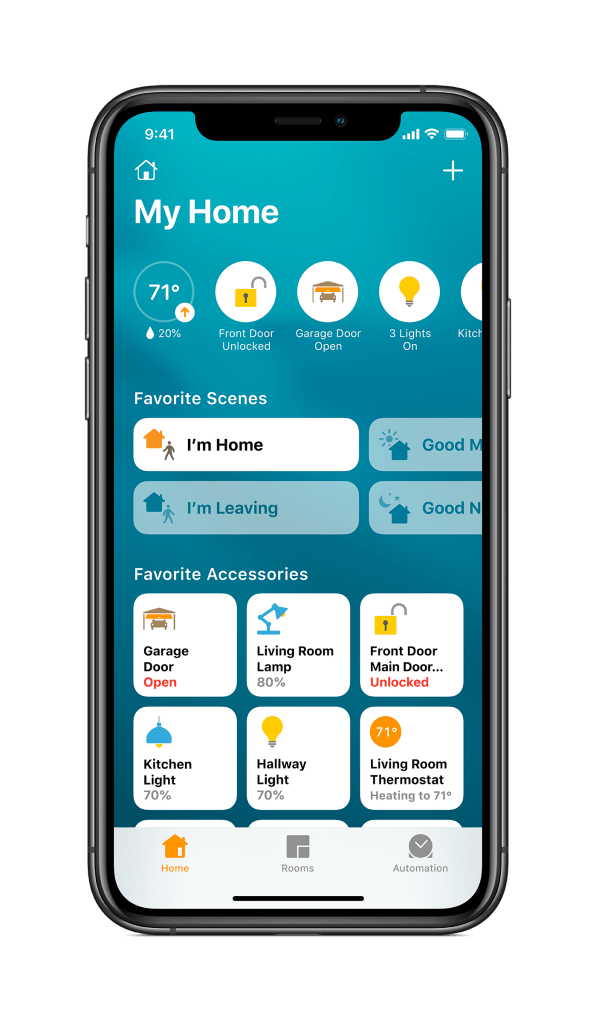
Home Kit
This is mostly developers’ stuff. All we need to know is that Apple promises that Home will be supported by more products, and it will work with all of Apple products effortlessly through the Home app.
This will largely depend on the available appliances. Light bulbs are easy to get, but everything else requires some hunting around.
That notification field with all the most important home information in the app is a nice touch. Yes, I would like to know if I forgot to lock any doors or turn off any lights.
Automation is cool too.
Lights
Adaptive looks to be a useful novelty. Lights that shift colours throughout the day based on what it thinks it should be (hey, I see you) would be a nice change.
Camera
That activity zone feature, the ability to ignore busy areas in a camera’s view feels like something that should have been there in the first place.
Facial recognition is another cool one since it is based on the contacts we already have. And that pop-up or full screen of whoever is at the door or any of the cameras on Apple TV is something I always wanted to do. And it can be done with Siri, so that’s a plus.
Apple TV
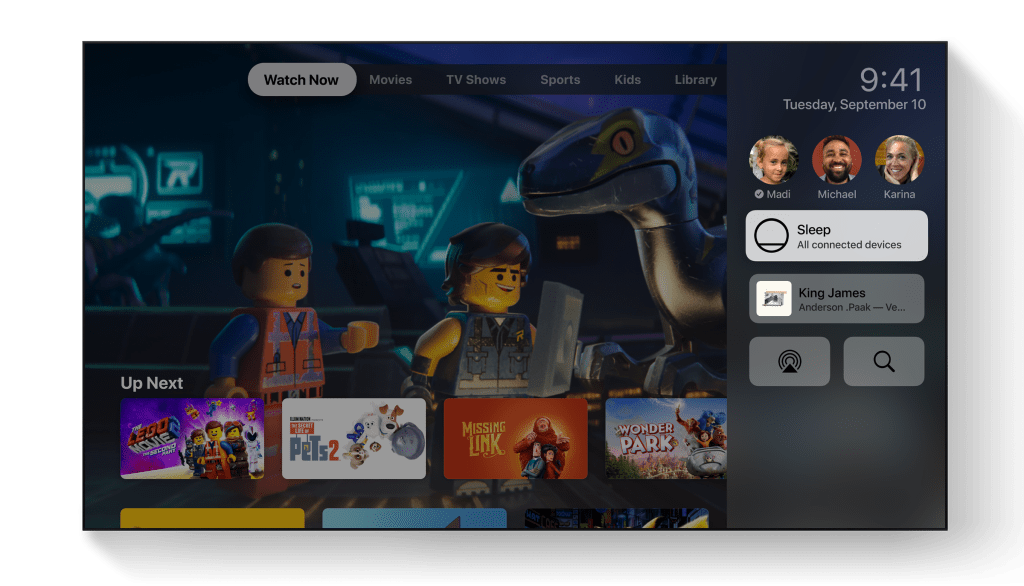
Hey… Can we use AirPods Pro or that rumoured upcoming over the ear headphones with this to get that spatial audio?
Anyway, shows, games, fitness apps, picture-in-picture, sharing media from the phone to the Apple TV, and even more support for Xbox controllers. Cool.
Apple TV+
Isaac Asimov, Foundation. Fine. I’ll save up for an Apple TV. Watching these shows on an iPhone just does not do it justice.
macOS
Big Sur. Named after a rugged stretch of California’s central coast, we see that Apple continues to unify their design and feature languages across platforms.
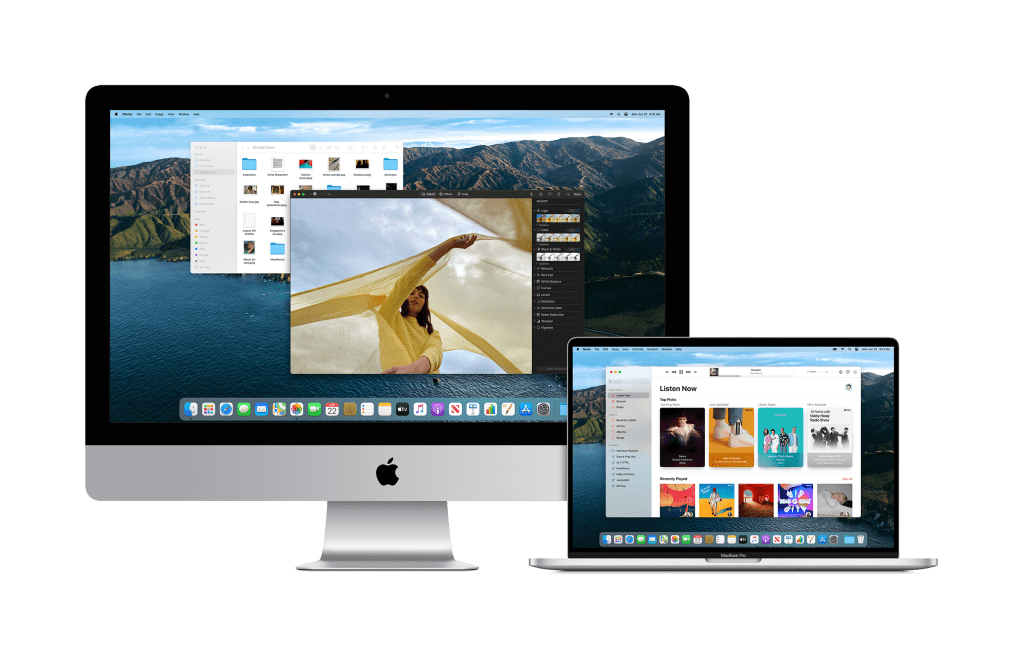
Design
macOS and iPadOS are virtually kissing cousins now. They are both similar and consistent with each other in a lot of ways but are still different enough to be distinct with macOS looking more premium. It’ll take a couple of years for them to be all but identical.
Native Apps
Everything looks like they are going to run like their iOS and iPadOS counterparts. Widgets, Messages, Maps, and more but with more flair. The synergy is beginning to show more and more.
Safari
I did not know Safari was that powerful, and I don’t mean its speed. Apple can tout all the numbers they want; everyone got a way to twist them to make them look ahead. What I am impressed with is all its privacy features, it pioneered so many of them.
But, most of the features on Safari this time is Apple playing catchup and fits in the personalisation category. A lot of the new features from the privacy reports, to the account monitoring, to the customisable home page. Even the silly icons in tabs and how to manage tabs. All standards on other browsers. Like extensions.
Speaking of extensions, it is about time that Safari has extensions. But of course, Apple took it a step further by having users control over what they want to share to an extension. It is as if Safari is in Privacy mode by default, and users can give extensions permission as it is needed, which is the reverse of how extensions work on other browsers. Which will take some getting used to.
And that translation support: Yes, please.
Apple Silicone
There’s a lot of developers and technical stuff here. What we need to know is Apple is using their own chips. The same base processor that made what seems impossible, possible on the iPhone and iPad is now going into the Mac. Scaled up, of course.
This clearly shows Apple’s roadmap. Not only are they going more independent, but we can see that the synergy between all their devices is solidifying.
And this should not come at a surprise. Apple has been leveraging on its own silicone on iPhones, iPads, and Apple Watch.
This announcement alone made me wish I got an iPad Pro instead of a laptop. However, I would still not be able to afford the iPad. So I don’t think this move would make the Mac more affordable, but Apple might now be able to produce a scaled-down version that they would be happy with.
Also, Apple assures that all the popular productivity apps and creative apps on the Mac are already being developed to work on Apple Silicone.
Knowing what Apple Silicone can do on the iPhone and iPad, I am extremely excited to see Adobe suite of creative and editing software running on the new Mac.
 Azizul Rahman Ismail