
As someone who appreciates records, grew up on cassettes, and occasionally wind down at the end of the week with music, I was excited when Apple Music is got Lossless Audio and Spatial Audio.
Lossless Audio means it uses Apple Lossless Audio Codec (ALAC). What you get is close to what was recorded in the studio. There’s minimal loss in the compression. It is the best, whether you can hear it or not, that is another question.
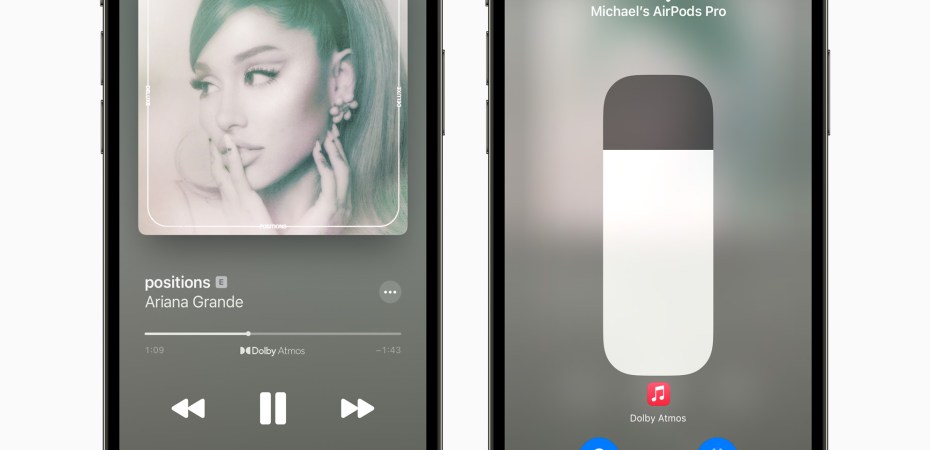
Spatial Audio means it uses Dolby Atmos. It places you in the the middle of the performance. The location of each sound and instrument is distinguishable. Like surround sound.
These new features are free. But, it is complicated and you need to know that both these features are not available for all the music in Apple Music’s catalogue, yet.
The Thing With Lossless Audio
Let’s start with Lossless Audio again. It comes in two flavours: Lossless (CD Quality), and Hi-Res Lossless (it has bigger numbers so it is better, right?).
These audio files are big. Rightfully Apple warns users that: “Streaming lossless audio over a cellular or Wi-Fi network consumes significantly more data. And downloading lossless audio uses significantly more space on your device. Higher resolutions use more data than lower ones”.
That’s understandable. We want to listen to this Lossless Audio and hear what all the hype is about.
On the iPhone we go to Settings, Music, Audio Quality, flip the Lossless Audio switch, and understanding that it will take a lot more bandwidth and storage, set the Downloads to High-Resolution Lossless.
We pick a song, download it and try to listen to it using AirPods.
Nope, AirPods (RM699 – RM879) does not support Lossless Audio.
AirPods Pro (RM 1,099)? Nope.
AirPods Max (RM 2,399)? That does not support Lossless Audio either.
In fact, Bluetooth connections does not support Lossless Audio at all.
But, what if you connect it using a Lightning to 3.5mm Headphone Jack Adapter (RM55)? That would surely work right? Almost.
The digital-to-analogue converter in the adapter only support Lossless, not Hi-Res Lossless. Add a Lightning to 3.5mm Audio Cable (RM199) to connect to the AirPods Max, and it will not give you true Lossless.
Turns out the only way we can enjoy Hi-Res Lossless music on an iPhone (or even a Mac) is to use an external DAC.
At least Apple is honest about it, and AAC (not lossless) actually sounds good to me.
About lossless audio in Apple Music.
The Thing With Spatial Audio
Thankfully things are simpler here. Spatial works with any headphones (wired or otherwise) and even the built-in speakers.
No wonder Apple been pushing this feature on Apple Music with special playlists. There’s even a special write-up about it in the Apple Newsroom.
Go to Settings, Music, and under Audio, change Dolby Atmos to Automatic if you have an AirPods (regular, Pro, or Max), or selected Beats headphones.
Else just make it simple for yourself and just pick Always On.
You can turn Spatial Audio on and off and hear the difference for yourself.
When turned off, the music is in stereo. It sometimes sounds relatively louder, but there is nothing special there. Turn Spatial Audi on, close your eyes, and suddenly you are in the middle of the music.
However, this is not Spatial Audio with Dynamic Head Tracking, which is what you get when watching certain streaming services like Apple TV. Where the audio adjusts as you move your head. That’s coming later, in the fall update. Somewhere between September and November.
About spatial audio with Dolby Atmos in Apple Music.
Was The Hype Worth It?
For most people Spatial Audio is novel and would give Lossless Audio a pass.
I love winding down with my AirPods Max, so I won’t get to listen to Lossless Audio. But, I do enjoy Spatial Audio when it is available.
That said, Spatial Audio and Lossless Audio also looks to be paving the road towards future technologies in Apple’s roadmap.
 Azizul Rahman Ismail