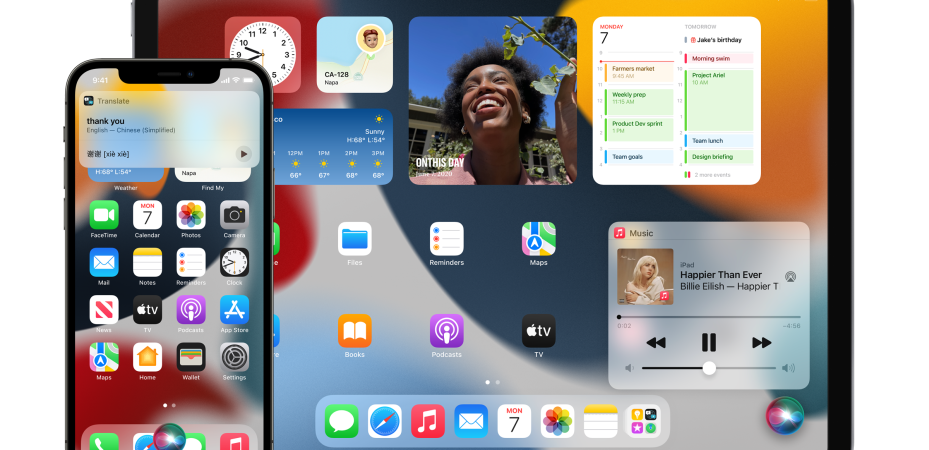
Of all the new features and technologies showcased at WWDC21, privacy is the thing that got me excited the most. And it is all coming to iOS 15, iPadOS 15, macOS Monterey, and watchOS 8 in the fall.
Protect Data from Third Parties
In the Mail app, Mail Privacy Protection stops senders from using invisible pixels to collect information about the user.
With it they won’t know if you’ve opened the email, and hides your IP address so they can’t link you to the other things you do online or figure out where you are.
Intelligent Tracking Prevention has been protecting users on Safari from unwanted tracking fir years by using on-device machine learning to stop trackers while allowing websites to function normally.
This year, Intelligent Tracking Prevention can also hide your IP address from trackers. So they can’t use it as a unique identifier to connect your activity across websites and build a profile.
Cool huh?
Check Up on App Privacy
You and your data are more precious than the subscription or the price you pay for that app. That’s why some app developers are so sneaky. Remember how iOS14 caught a lot of them sneaky buggers trying to access stuff like your copy & paste data?
With App Privacy Report, you can see how often each app has used the permission they’ve previously granted to access your location, photos, camera, microphone, and contacts during the past seven days.
You can then make a judgement call and take action by going to the app in Settings revoking their permissions if you don’t like what they are doing.
On top of that, you can also find out with whom your data may be shared with by seeing all the third-party domains an app is contacting.
I can’t wait to see what happens when this feature goes live.
Process Audio of Siri Requests on Device
This feature is awesome in two ways. First, privacy. When the audio of your requests are processed right on their iPhone or iPad by default it addresses one of the biggest privacy concerns for voice assistants, which is unwanted audio recording.
Second, this will improve Siri. With it, requests such as launching apps, setting timers and alarms, changing settings, or controlling music, can be processed without an internet connection.
Enhance Internet Privacy with iCloud+
iCloud+ combines iCloud, Apple’s cloud storage service, with new premium features, including iCloud Private Relay, Hide My Email, and expanded HomeKit Secure Video support. At no additional cost.
Private Relay is a new internet privacy service that’s built right into iCloud, allowing you to connect to and browse the web in a more secure and private way.
When browsing with Safari, Private Relay ensures all traffic leaving a your device is encrypted, so no one between the you and the website you’re are visiting can access and read it, not even Apple or the you network provider.
All your requests are then sent through two separate internet relays.
The first assigns the user an anonymous IP address that maps to their region but not their actual location.
The second decrypts the web address you want to visit and forwards them to their destination. This separation of information protects your privacy because no single entity can identify both who you are and which sites you’re visiting.
This is not a VPN but more like Cloudflare’s WARP feature, which available on almost all device. And it is free. So go try it out.
Expanding on the capabilities of Sign in with Apple, Hide My Email lets you share unique, random email addresses that forward to your personal inbox anytime you wish to keep your personal email address private.
It is built directly into Safari, iCloud settings, and Mail, Hide My Email. It also lets you to create and delete as many addresses as needed at any time, giving you control of who is able to contact you.
I think the cleaver thing about this is it’s mainly for incoming emails. There’s a reason why email providers put safety measure to prevent spam bots from creating infinite number of email addresses.
iCloud+ expands built-in support for HomeKit Secure Video, so users can connect more cameras than ever before in the Home app, while giving them end-to-end encrypted storage for home security video footage that will not count against their storage capacity.
That last part is key. Security video footage that won’t count against the storage capacity is a big deal. Those videos can be important but they take up a lot of space.
HomeKit Secure Video also ensures that activity detected by users’ security cameras is analysed and encrypted by their Apple devices at home before being securely stored in iCloud.
According to the fine print that I almost missed the iCloud+ plans are:
- 50GB with one HomeKit Secure Video camera (RM3.90 per month)
- 200GB with up to five HomeKit Secure Video cameras (RM11.90 per month)
- 2TB with an unlimited number of HomeKit Secure Video cameras (RM39.90 per month)
These are the same prices you pay for regular iCloud. Although it does not say, I bet Apple One subscribers gets these features too.
Additional Features for Users and Developers
These releases also feature powerful new tools that help developers enhance app functionality while preserving user privacy.
With share current location, users can easily share their current location with an app just once, without giving the developer further access after that session. Developers can customise the share current location button, and integrate it directly into their apps.
I like the idea of this feature a lot. Hopefully there are no loopholes where developers can force users to update their location every time.
With enhanced Photos limited library access, developers can offer smart functionality — like a recent photos folder for specific albums — even when a user has only granted limited access.
With secure paste, developers can let users paste from a different app without having access to what was copied until the user takes action to paste it into their app. When developers use secure paste, users will be able to paste without being alerted via the pasteboard transparency notification, helping give them peace of mind.
This last one feels weird. Taking away the pasteboard transparency notification feels like a backpaddle to me. Anyway, that’s the privacy portion from WWDC21.
 Azizul Rahman Ismail