
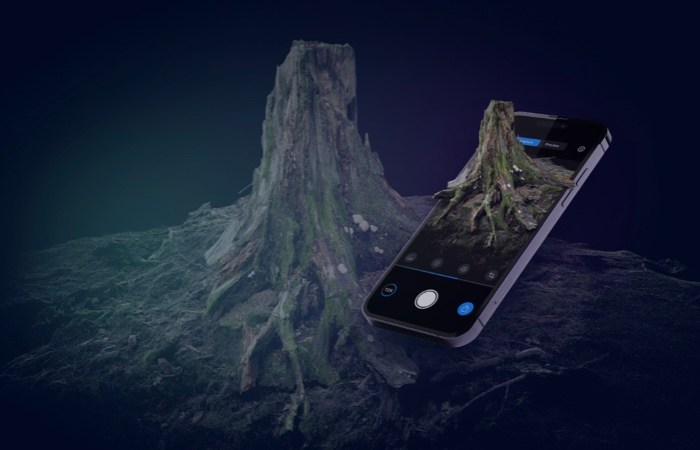
Epic Games and Capturing Reality recently announced the release of the RealityScan app on iOS. Best of all it’s free.
The app turns photos into 3D models using the power of the cloud. It doesn’t matter if your iPhone or iPad has LiDAR or the latest Apple silicone. This to me means, you should be careful with what you choose to scan.
Reality Scan is easy to use, but not as easy as the scanning tool that Sony introduced for their devices years ago. There is a colour and quality tool that tells you where you should take more photos to improve the render and there’s a competent video guide on how to make full use of the app.
Fair warning, the video is full of mouth noises.
Instead of scanning the object, the app uses photogrammetry which means it makes you take photos, lots of photos, of the subject from different angles to render the model. It needs the gyroscope information of the iPhone or iPad so putting the object on a turn table doesn’t work.
It also doesn’t give you control of the camera or pick which camera to use, so you’re stuck at a certain focusing distance.
I tried it with my High-Grade scale Gunpla, to give the app a fighting chance before trying it on a Citadel miniature, but the result wasn’t great. It prefers to scan the stool the figure was on instead. It seems Reality Scan prefers larger objects.
The app also has a couple more limitations. It wants even lighting, no harsh shadows, and nothing reflective. So scanning our doors can be tricky.
The 3D model generated using the app can be exported to Sketchfab and published, shared, or sold.
From there, users can download the model for use in Unreal Engine, Twinmotion, MetaHuman, or any other post-processing tool.
RealityScan users will automatically be upgraded to a Sketchfab Pro account for a year after their first Sketchfab upload.
RealityScan is created by Capturing Reality who previously worked with Quixel—curators of Megascans, the world’s largest scan library—to create high-fidelity scans using a desktop application, RealityCapture.
 Azizul Rahman Ismail