
I drive a lot when all the writing jobs are hundreds of kilometres away. After over a year of paring my iPhone to the car via Bluetooth and having the device perched in a holder protruding from the middle of the windshield, I decided it was time for an upgrade.
The central panel of my car is an aftermarket Android thing, and it doesn’t support CarPlay; maps are on the phone, and music controls are on the dash.
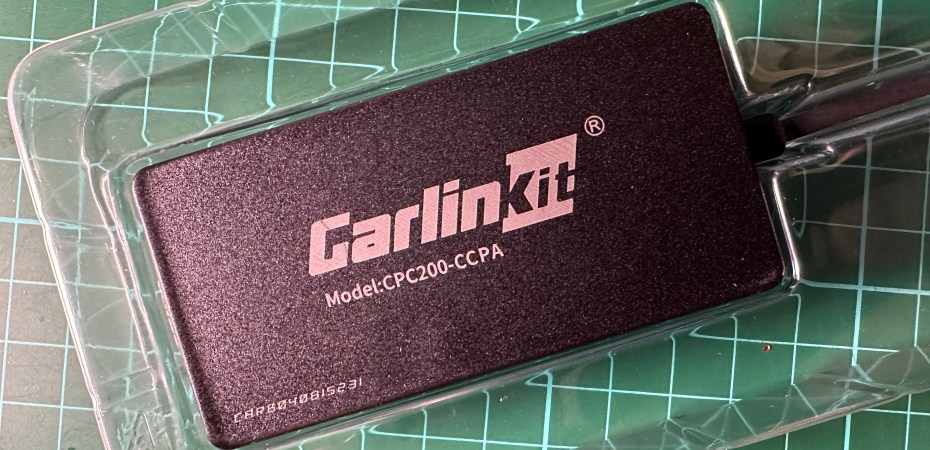
In a cursory search, I came across Carlinkit, one of the many brands of USB dongles that expands the compatibilities and capabilities of a car’s entertainment system.
However, because Carlinkit has a confusing selection of products sold by drop-ship sellers and is Chinese, with English not being one of their first three languages, finding the right dongle for my car was not easy.
At the time of this writing, Carlinkit has seven products in the Carlink Solutions category, three in the Aftermarket Solutions category, and six in the Content Solutions category.
Suppose you have an aftermarket Android car dash and want to add wired and wireless CarPlay and Android Auto capabilities. In that case, you need the Carlinkit CPC200-CCPA, not CPC200-Autokit (which is older) or any other model.
Although they look more capable, the Carlink Solution devices are for adding wireless capabilities to cars that already have wired CarPay and Android Auto capabilities, and Content Solutions are streaming boxes for car dashes.
In addition to getting the right dongle, you should know four more complicated things about the Carlinkit.
First, it needs AutoKit installed on the Android dash. You can access the device’s APK (installation file) using the file browser on the car’s dash. It can also be installed through the browser on the car’s dash. But, I find that downloading the APK on a PC and installing it via a USB drive is the least complicated solution.
Second, connecting the Carlinkit CPC200-CCPA wirelessly to the iPhone requires a Wi-Fi and Bluetooth connection. If it doesn’t work right when connected, try going into the CarPlay setting on the iPhone. Connecting the iPhone to the device using a USB cable works too.
Third, the Carlinkit CPC200-CCPA that I got came with 2022 firmware. It can be updated using a phone with data. Connect to it via Wi-Fi, go to the user manual’s IP address, and tap update.
Finally, set the AutoKit settings to your preference. The settings (gear icon on the top left) are only accessible when you launch AutoKit without the Carlinkit attached. Once in the menu, connect the dongle to get more information and options.
I turned on auto connect, turned off autoplay, set it to use the phone’s microphone, and set the app to full screen (which hides the Android bar). Play around with it and see what you like. There’s always an option to return to the default settings in the menu.
Every time I start my car, it takes less than 15 seconds for the dash to boot up, connect to my iPhone and launch CarPlay. I can access and control maps, music, podcasts and other CarPlay apps directly on the dash. I don’t even need to take the iPhone out of my pocket.
 Azizul Rahman Ismail