
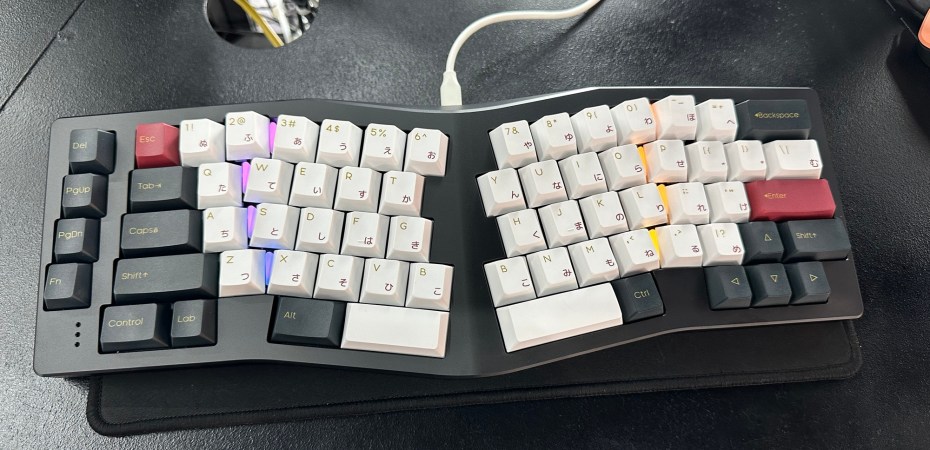
When I walked through the doors at Mecha Malaysia in Bandar Sunway, I had three keyboards in mind: the Keychron Q1 HE, the Keychron Q3 Pro, and the Neo Ergo.
The Q1 HE has the latest keyboard technology: the Hall effect switch. Hall effect switches can detect how far they are pressed using magnetic fields instead of metal contacts. In contrast, standard switches have a metal contact with two states: on or off.
For example, in a game, a lightly pressed Hall effect switch could translate as a walk, and when pushed harder, it could translate as a run. With a mechanical switch, the character moves when the key is pressed and stops when it is released.
Although it feels nice to use and the keys have a pleasant sound, Hall effect switches are meant for gaming and would be wasted on someone who uses their keyboard mainly for typing. Also, options for Hall effect switches are limited at the time of this writing.
The Q3 Pro has a great build, comes in great colours (including green), and has four macro buttons, a must-have feature for me. I found macro buttons invaluable after using the 8BitDo Retro Keyboard for work. The macros I used were copy, unformatted paste, and refresh page sans-cache.
It could also be fully customised and modified like an enthusiast keyboard. It had all the features I sought in a writer’s keyboard and a discounted price tag. It was my pick, but then I tried the Neo Ergo.
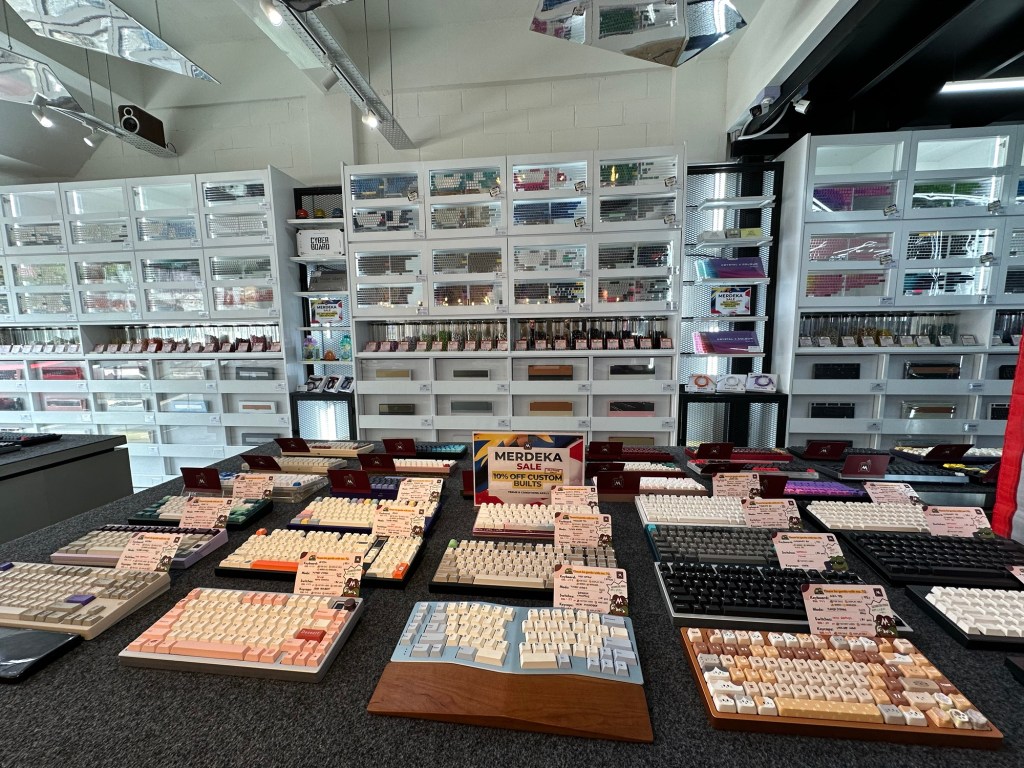
The Neo Ergo is a 65% Tented Alice keyboard.
In plain English, that translates to:
65% – A keyboard with all the keys of a typewriter plus the arrow keys and the enter, control, alt, and windows keys. There are no function keys, no number pad, and limited special navigation keys.
Tented – The keyboard is raised in the middle.
Alice – An ergonomic keyboard layout that splits and curves the standard keyboard layout.
This keyboard would have been at the top of my list. Everything about it says it is a writer’s enthusiast keyboard. The Tented Alice layout is designed for typing comfort. It lacks per-key lighting that is predominantly for gaming, and it has just enough keys for typing. It has four special navigation keys that can be reassigned to macro keys.
However, without the switches and keycaps, the keyboard costs more than the Q3 Pro and, in some configurations, more than the Q1 HE. In addition, the Neo Ergo requires some assembly.
The assembled unit at Mecha was fitted with HMX Gravel Linear switches and Cherry (standard) profile keycaps. It looked and sounded amazing, like a premium keyboard way beyond my budget. But what won me over was the Tented Alice layout. It took some getting used to, but it was very comfortable to type on.
With what’s available at Mecha Malaysia, I got a Neo Ergo with a black anodised case, a golden kernel, a spray-coated golden weight, a PVD-golden badge, an aluminium plate, and an acrylic wrist rest.
In other words, I got the black and gold version of the Neo Ergo, which came with a wrist rest, a case, and some extra parts.
Picking the keyboard was easy; choosing the switch and keycaps took a while. I knew what I wanted: a keyboard that sounds and feels like two river pebbles, held in each hand, being knocked against each other. But getting there was a challenge.
The shop had a wide selection of switches, and I could try them all. With the help of the folks at Mecha, we narrowed the choice down to tactile switches.
The first switch they recommended was the MMD Princess V3, a surprisingly low-cost factory-lubricated switch with a big bump feel when pressed. They also recommended other switches, and I tried them all and a few others. Still, I kept returning to the MMD Princess V3, so it became my pick.
The folks at Mecha taught me that switch lubrication eliminates the plastic-on-plastic scraping sound. I could only hear it if I put the switch close to my ear.
Because the Alice layout is unique, my selection of keycaps is limited. I wanted double-shot keycaps made from polybutylene terephthalate (PBT). Double-shot means the legends on the keycaps were moulded separately, meaning that they look sharper, won’t wear out, and make for a thick keycap that produces deeper sounds. PBT means that the keycaps won’t polish to a shine after extended use.
My compromise choice was the Sakuya Keycaps by Switch Lab. It is not a double-shot keycap set, and none of the compatible options were, but the folks at Mecha highly recommended it. They assured me that the set’s dye-sublimation (printed) legends were durable.
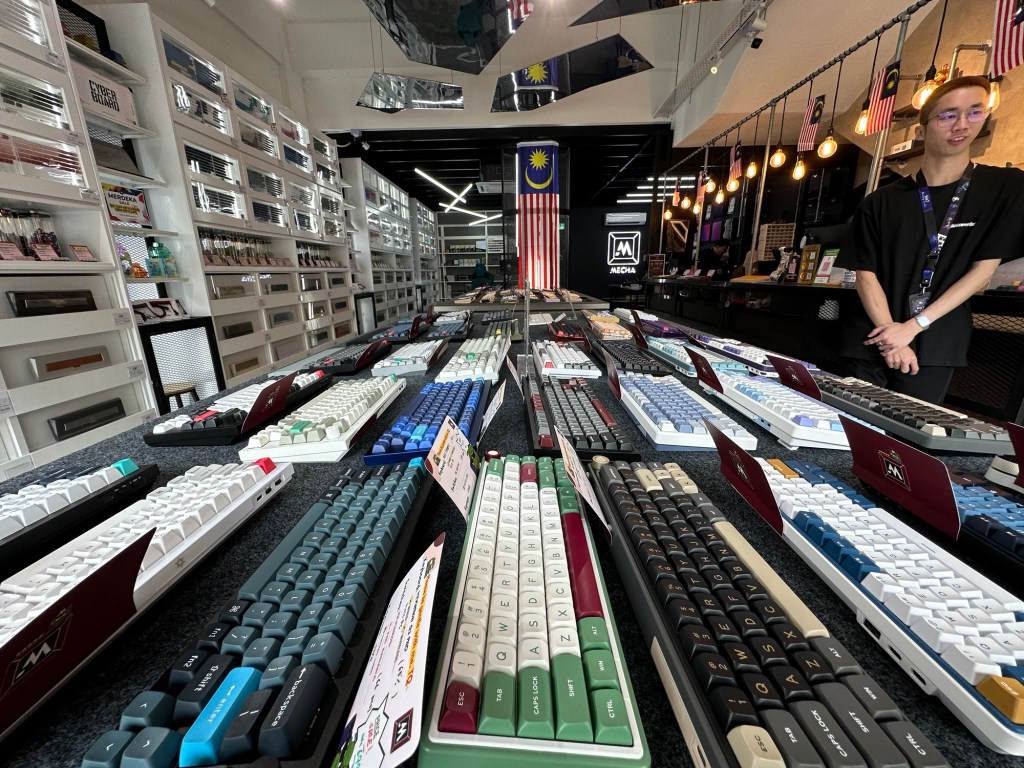
I said I had the keyboard fitted with the switches and keycaps because I splurged and paid for the Mecha Basic Keyboard Building Service Package. The service includes assembly, stabiliser tuning, tape mod, and quality inspection. For RM89, they put everything together, ensured everything was in working order, and did a little more.
Because of the way Neo Ergo was designed, the build process is easy. The keyboard can be popped open without tools, the switches can be installed and changed without soldering, and everything is modular. However, I lacked the experience, and it would take me more than the three days they took to learn how to do what they did and apply it to the keyboard.
I paid RM1,461 for the keyboard in total. That is a lot for a keyboard, but it is considered a bargain for an enthusiast’s keyboard from a keyboard enthusiast company.
As someone new to the world of enthusiast keyboards, the friendly folks at Mecha guided me through testing the Neo Ergo and even helped me out after I got it home when I could not figure out how to connect it to my PC. The model that I got can connect to devices using a cable, Bluetooth, and a 2.4 GHz dongle. It switches between the modes using a combination of keys.
The official online documentation for the keyboard is more challenging to parse through than the user manual by a big peripheral maker would be, so the help was very appreciated.
The first thing I did was to reprogram three of the special navigation keys to macro keys (refresh sans-cache, copy, and unformatted paste) and keep the fourth as the all-important Fn key.
In the beginning, my typing speed was slow. The keyboard layout confused my muscle memory. My hands were further apart, my wrists were relaxed, and the location of the keys was slightly different. It took me about a week to get used to it, and currently, with daily practice at keybr.com, my typing speed is slowly increasing.
While the folks at Mecha tuned my keyboard and applied the tape modification to dampen its sound, I took the modifications a step further by adding more tape to the back of the printed circuit board and on areas where the two halves of the keyboard’s all-metal casing would meet. I also put tape on the two space bars to further dampen the keyboard’s sound.
Those little changes made a big difference.
For those who want a better keyboard (preferably mechanical) to type on, I would still recommend the 8BitDo Retro Keyboard. It has a lower barrier to entry and all the right features for someone who uses their keyboard mainly for writing (with the occasional gaming here and there).
However, I highly recommend the Neo Ergo for those who want to step into the world of enthusiast keyboards and see what it is all about, focusing on typing instead of gaming.
 Azizul Rahman Ismail